If you’re new here, you can keep up with my latest photography information at Picture Pundit – subscribe to my newsletter for a FREE Report: A Guide to Twitter for Photographers.

When someone needs to hire a photographer, how do they find one? Regardless of whether it’s for a wedding, corporate material, senior pictures, sporting event, or editorial need, they probably follow this path:
Futuristic retro phone in bright saturated colors

  1. A photographer they have previously hired.
  2. A referral from a trusted source.
  3. Someone they personally know who is a photographer.
  4. Someone they don’t know personally, but is known as being proficient as a photographer.
  5. A cold call based on the photography results of a search (search engine, etc).
  6. A cold call to a random search result.

Five years ago, your position on that list was dictated by your past clientele and your physical activities – what events and groups you’d travel to, and where you’d devote dedicated time to build your network a few people at a time.

Fast-forward to our current environment. Social media such as Twitter and Facebook can help you end up in the number two spot on that list. A few days ago at Beer and Blog, I had a conversation with a real estate professional, talking with her about using Twitter to build relationships. By following local folks on Twitter, learning a bit about them (and sharing a bit about yourself), you’ll develop some personal connections. If you’re also sharing some of your photography experiences, those people will get to know you as someone that produces great pictures.

This is the value in the casual conversations on Twitter and Facebook. While sharing about your family, your hobbies, or your feelings won’t directly sell any photography services, you’ll be laying the foundation to build relationships. When your contacts start thinking about photography, instead of picking a name based on a Google search, they’ll come to you. When others mention needing a photographer, your contacts will refer those people to you.

And then, after you’ve won the business due to the social media referral, you’ll end up at the top spot on that list. It doesn’t get any better than that.

Photo by Horia Varlan, used under Creative Commons licensing

These other posts might be of interest to you:

  1. Build Relationships Before the Sale
  2. How Much Time Should a Photographer Spend on Social Media?
  3. Social Media Tips Roundup for Photographers

When you first heard about Twitter, you probably wondered why the heck anyone would care about the answer to “What are you doing right now?” If you’ve used Twitter and developed some relationships, you probably realized that the connections go way beyond folks sharing what they’re having for lunch.

what confusion?!I want to hear your Twitter story in a couple sentences, of what you thought it would be like when you joined and then what you’ve found Twitter to actually be once you’ve used it for a while. I’ll select a couple commenters at random; one will win a Luma Loop camera strap (size medium – $60 value) and the other will get one year of Flickr Pro ($25 value). Winners will be announced next Monday (June 7th), so leave a comment soon!

Please share… what’s been your Twitter experience when compared with your expectations?

Photo by kl-Ga, used under Creative Commons licensing

These other posts might be of interest to you:
  1. Flickr + Twitter is Live, What about Licensing/Legalities?
  2. Flickr + Twitter: the End of Twitpic?
  3. Social Photo Podcast #1: Twitter Lists, Flickr+Getty, Twitter Revolution

One of the posts I wrote the first month of Social Photo Talk’s existence was about what I thought was the right way to handle contests on Twitter. /contests-on-twitter/

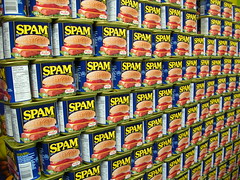
Spam wallI’d like to rescind that earlier opinion. I was wrong. Contests have no place on Twitter. They’re really damn spammy and it makes your followers look bad.

When you require folks to tweet about your contest as a method to enter said contest., you’re asking them to spam their friends and followers with an advertisement for your business or service. Would you ask them to send an email to everyone in their email address book? Would you require them to call every person in their phone listing and tell them about your contest? No… you wouldn’t, because that would instantly be seen as overly pushy.

Your followers have opted into hearing your message. Their followers have not. Asking your followers to spam their followers is, well, spammy. Don’t do it. Don’t be that guy.

Photo by freezelight, used under Creative Commons licensing

These other posts might be of interest to you:

  1. Contests on Twitter: Doing it Right
  2. Facebook Contests and Promotions: Read the Restrictive Rules
  3. Don’t Retweet to Win

If you’re new here, you can keep up with my latest photography information at Picture Pundit – subscribe to my newsletter for a FREE Report: A Guide to Twitter for Photographers.

Wild PalmBusinesses have focused on customer retention after the sale for quite a while… but what about building a relationship before the sale? I’ve found this to be a very effective technique for my photography business. Using social media (Twitter and blogging on locally-focused sites), I’ve established relationships with a variety of people in my area and established credibility as a photographer.

In practical terms, here’s what I did that helped me develop relationships before the sale. I live near Portland, Oregon and there is an active online community – businesses and individuals from a variety of backgrounds and industries are on Twitter. The mayor of Portland routinely posts information for citizens on his Twitter account. I jumped into Twitter full-force, and started following a lot of local people. I interacted with those people, learning about them and sharing my life, including my photography, on Twitter.

Over time, by talking about my photography and sharing links to my work, I established myself as a photographer and my Twitter followers. People started contacting me directly about potential photography jobs. Better yet, when others would bring up the subject of photography, my Twitter followers would refer business to me, letting people know that they’d seen my work.

Studies have shown that people will buy from people they trust; Twitter is a great way to build up relationships (and trust) with a large group of people. By developing those relationships and trust over time, when people think about needing a photographer, they’ll think about that photographer whose work they keep seeing on Twitter.

photo by Aaron Hockley

These other posts might be of interest to you:

  1. It’s the Relationships, Damnit
  2. Use Social Media to become the One to Call
  3. Build Your Network by Leaving Blog Comments

If you share photos online at Flickr, SmugMug, or Facebook and you’re using Adobe Lightroom for your post-processing and image management, there’s a good chance that you’re using Jeffrey Friedl’s export plugins to get your photos from your computer to the online services.

One of the features that many folks seem to overlook is the ability to send a tweet announcing your new uploads. The Twitter section is in the lower part of the export options panel:

Tweet a Lightroom Export

If it’s your first time, you’ll need to click the “Authenticate at Twitter” button to sign into Twitter. Once authenticated, you can choose what message to send once your export is complete. Click the “Help on special codes” link to find out more about how to automatically insert the URL to your destination photo, photoset, or your base URL on the service.

Other than tweeting links, how do you drive traffic to your photo sharing sites?

These other posts might be of interest to you:

  1. How to Export Photos from Lightroom to the iPad
  2. Tweet Your Photos from SmugMug
  3. How Many Times do you Tweet Links to Blog Posts?

Flickr isn’t the only service which makes it easy to share photos from your galleries via Twitter. I use SmugMug for my fine art print sales as well as client proofing. I’ve started to put a few other photos there as well, and they make it very simple for a photographer to share via Twitter, Facebook, and some other social media tools.

From a photo on SmugMug, click on the Share button and choose Be Social. From there, choose the Twitter tab (or whichever service you want to use) and go through the authentication process. Enter the message to accompany your tweet, and you’re set! The UI even includes a character count so you’ll know if you’re within the 140 character limit. SmugMug will tweet a link to your photo (with a shortened URL).

I’m a big fan of the professional galleries on SmugMug and it’s great that they have professional-level social media features as well (including some, like Facebook integration, that are missing from Flickr).

Is it worthwhile to repeat yourself?

Most folks who have a blog and use Twitter will send a tweet that links to a new blog post (either manually or through an automated means). That’ll drive traffic, but how many of your Twitter followers will see it?

TweetHint: not all of them. Probably not even a majority of them. If someone is following more than a few people on Twitter, they’re not reading everything. Twitter users drift in and out of the stream of tweets, catching whatever happens to flow by while they watch. If you’re tweeting while someone happens to be away, your tweet probably isn’t being seen.

One way to help your tweet reach more viewers is to repeat the tweet. One option is an automated tweet scheduling service such as that offered by FutureTweets or SocialOomph.

Another method (and the one which I use) is to manually post a tweet at a later point, referencing the post which someone might have missed. For example, see this tweet which was the automated tweet when my post-SXSW thoughts went live, and then I manually posted a follow-up tweet later that evening to catch a crowd that might not have seen the original one.

You don’t want to overdo it and post too many times… after all, the folks that are paying close attention don’t want to see you advertise the same post over and over and over, but I’d argue that tweeting a link 2-3 times is completely appropriate.

And so I ask… is it worthwhile to repeat yourself?

Photo by wonderferret, used under Creative Commons licensing

In the last couple of weeks there have been some great developments for photographers looking at interesting things to read. First, The Linked Photographers’ Guide to Online Marketing and Social Media was released. I’m currently reading through my copy and will post a full review once I get through the book. It’s all about marketing using blogs, Twitter, Facebook, LinkedIn, Flickr, and the other topics that we often talk about here on Social Photo Talk, so I bet that I’ll have plenty to say.

I also am reviewing a copy of iPad: The Missing Manual, due to be released on June 1st. The iPad has quickly become an important tool for the modern photographer. I’m a fan of the “Missing Manual” series and I’ll be sure to post a review once I wrap up reading it. So far it’s really good, providing a thorough look at the iPad. Stay tuned for more information.

On top of those, HDR guru Trey Ratcliff (aka Stuck in Customs) just released an eBook on digital photography workflow. As someone who has mastered a workflow to produce a large quantity of high-quality (and well-processed) images, I look forward to reading all about his process. There are two versions of the eBook, a standard edition and a bonus version for just a few dollars more that includes additional material and some information specific to HDR. I’ve just ordered my copy and can’t wait to dive in.

Whew! That’s a lot of reading to do. I’ll be sure to share reviews when I get through, but I wanted to make you aware that if you’re looking to learn and want to read, there are some great options right now!

MicrophoneOn the first episode of the Social Photo Podcast, hosts Aaron Hockley and Lyza Danger Gardner talk about Twitter lists, the open call for Flickr users to become Getty stock contributors, the Twitter Revolution panel from Photo Plus Expo, and more. This episode is just over 11 minutes.

Links to Things We Talk About

Distribution and Feed

For now, you will find the podcast as an attachment to the main Social Photo Talk RSS Feed. The plan is to get listed on iTunes as soon as possible, so look for that announcement in a bit. You should see a player at the bottom of this post if you want to listen directly, or you can grab the Episode 1 mp3 file directly.

Feedback

This is very much a rough start at a podcast… you won’t find any frills on our first effort, but we’d love your feedback. Either leave a comment here or send mail to [email protected] – thanks!

Photo by visual.dichotomy, used under Creative Commons licensing

Swept bladesWe’ve published the fourth episode of the Social Photo Podcast. Hosts Aaron Hockley and Lyza Danger Gardner talk about what (and what not) to tweet, holiday gifts for a social photographer, and a heads up about an upcoming poll on workflow. This episode is just under 9 minutes.

Links to Things We Talk About

Distribution and Feed

We’re now on iTunes – if you use iTunes, you can subscribe using this link: Subscribe on iTunes

You can also find the podcast as an attachment to the main Social Photo Talk RSS Feed. You should see a player at the bottom of this post if you want to listen directly, or you can grab the Episode 3 mp3 file directly.

Feedback

We’d love to have your feedback – technical, content, or otherwise. Leave a comment here or send mail to [email protected] – thanks!

Photo by Bleuchoi, used under Creative Commons licensing

These other posts might be of interest to you:

  1. Social Photo Podcast #5: Copyright and Property Releases, Stock Photography and Journalism, Photo Sharing Poll Results
  2. Social Photo Podcast #16: iPad Poll Results, URL Shorteners, Andy Adams Interview, Call for Questions
  3. Social Photo Podcast #2: @dailyshoot and Sharing Work Online