If you’re new here, you can keep up with my latest photography information at Picture Pundit – subscribe to my newsletter for a FREE Report: A Guide to Twitter for Photographers.

The Crowd at Wordcamp 2008One of the first articles on Social Photo Talk was a look at What Should a Photographer Blog About. In that article, I mentioned that it’s important to identify the audience for your blog. Another important aspect of blogging as a photographer is to decide how your blog fits into your business. Is it just another page on your website, or is your blog a core marketing medium? Are you merely providing more information on your existing services, or are you using the blog to reach others in the industry or as a revenue-generating service?

If you’re serious about your blog for your photography services, it should be treated as any other marketing/advertising activity, meaning that you’ll want to spend some time and money to become as proficient as possible. Reading Social Photo Talk falls into this category. It also might mean purchasing some books (either paper or E-books), listening to some photography podcasts, or attending blogging or social media related events.

Last weekend, I was in Seattle to present at WordCamp Seattle, a conference about blogging and the WordPress blogging platform. While some of the attendees definitely fit into the geek/techie crowd, a large portion of the audience were people with businesses unrelated to tech that are using blogging as part of their business strategy. While I was there, I recorded a few brief videos with these people; I’ll be posting the videos in the coming weeks as testimonials of the benefit of attending social media events even when social media isn’t your core business.

How do you learn about blogging and social media?

Photo by Randy Stewart, used under Creative Commons licensing

These other posts might be of interest to you:

  1. Social Media Events for Non-Techies: Meet Laurie
  2. Social Media Events for Non-Techies: Meet Andy
  3. Social Photo Podcast #21: Google’s Photo Business, Social Media Lost and Found, Outsourcing Your Blogging

If you’re new here, you can keep up with my latest photography information at Picture Pundit – subscribe to my newsletter for a FREE Report: A Guide to Twitter for Photographers.

While listening to a recent podcast, Jack Hollingsworth (@photojack) made the comment that “finished is better than perfect.” I’m not sure if he invented that line, but I like it. It’s a theory that definitely applies in many situations… such as a photographer dipping their toe into the waters of a new social service or venture.

Que anjos e querubins digam amém (2)...DSCF5081a_picnikFor Jack, it was about blogging. For me, I’m currently in the midst of a new web presence for my photography business (including my general website/information, my blog, and my galleries for image sales and client proof review). Is it better to wait until the whole thing is perfect and then reveal it to the public, or does it make sense to bring each upgraded component online as they’re available?

I’m going with the latter. Yes, I’ll make sure that there aren’t broken links or anything that seems overly disjointed, but it’s better to get something out there faster than to be absent from a space entirely (or be represented by a site/service that doesn’t do justice to your services).

Are you avoiding something because you’re waiting for perfect? Holding off on a Facebook fan page since you aren’t sure how to get it quite right? Absent from Twitter since you don’t know who you’ll tweet with? Ignoring your blog for lack of the perfect post topic?

Do you need some specific suggestions on how to get going? Want someone to look at your current situation and give you some concrete things to build or steps to take?

I can help.

Photo by SantaRosa OLD SKOOL, used under Creative Commons licensing

These other posts might be of interest to you:

  1. Schedule Your Tweets? Should You? How To?
  2. How Many Times do you Tweet Links to Blog Posts?

Happy Monday! I’m not sure how things are going for you but I’ve been really busy lately with a variety of photo gigs. I have a bunch of random social media tips and tricks laying around here gathering dust, so I figured I’d put together a list post and share.

    Corral

  • Don’t get folks into a Twitter->Facebook->Website loop. We talk about blogging, and using Facebook to promote that blog, and also sometimes tweeting links to your work. Make sure that you aren’t tweeting a link to Facebook which then forces someone to click through to another site to read an article or look at your photos. If you’re sharing a link, that link should go directly to the source material.
  • Check out your Facebook Page insights. If you’re the administrator of a page, on the left side under the page’s photo you’ll find the insights section, where you can click through to get some information on who is a fan of your page and what they’re doing.
  • Realize that folks don’t monitor Twitter constantly. It’s a good idea to post a link a couple times at different hours of the day. Make sure that you don’t post too often or folks might think you’re being a bit spammy.
  • Network online with vendors related to your area of photography. If you shoot weddings, make sure you’re keeping up with local florists. If you do a lot of music photography, it doesn’t hurt to stay tuned in (pun intended) with what local production companies are doing.
  • Better yet, once you’ve established relationships with those vendors, partner up for some online cross-promotion. You can talk about how great they are to do business with, show some photos of their products or services, and potentially send some business in their direction. You could offer them some of your photos (ideally showcasing their wares) for use on their blog or online materials. It’s a win-win.
  • If you’re active on Twitter, you’ve probably got a lot of other photographers (pro and/or hobbyist) in your area that are following you. Host a tweetup/photowalk! Most photographers would enjoy the networking and photo opportunities of getting together for a couple hours and wandering around taking pictures.
  • I’ll wrap up this list with a reminder that social media isn’t a “get rich quick” system: if you’re doing it right, you’ll build up followers and trust over a period of months and years. You’re developing relationships that will (hopefully) lead to increased business and a higher profile for yourself and your business.

What other ideas are on your mind this morning? Have a social media tip to share? I’d love to have you leave a comment and share your knowledge.

Photo by tombothetominator, used under Creative Commons licensing

If you’re new here, you can keep up with my latest photography information at Picture Pundit – subscribe to my newsletter for a FREE Report: A Guide to Twitter for Photographers.

Last week photographer Rick Sammon released an iPhone app called “Rick Sammon’s Social Media Marketing for Photographers” (iTunes link) and I was able to work through and review the app this last weekend. The application is essentially a five part movie, with Rick narrating and presenting with a slide deck showing onscreen.

icon for the appThe application features five segments, with each ranging from eleven to eighteen minutes of instruction. The first segment is an introduction to social media along with a few general thoughts on the role of social media in the business of photography. Part two dives into a lot of strategy and planning, including how to decide where to spend one’s time. The third video is mostly about Twitter, with specific tips on using Twitter to drive photo product and service sales. Part four is a mixture of topics including affiliate programs, SEO, iPhone/iPad apps, and web/video/tweet analytics. The final segment consists of business and motivational advice.

Overall I feel that it’s a great introduction to social media for photographers. The information would be useful for someone just starting out with social media and trying to figure out where to spend their time and energy. If you’ve already dove headfirst into social media you might find the information to be a bit too basic. That said, one big thing that I loved about the app is that Rick spends a lot of time sharing his little motivational and business nuggets of wisdom. I’d say that close to half of the screen time is devoted to the business aspects of social media instead of simply focusing on the “how to” aspect.

The only faults I could find in the app were a couple minor bits of misinformation with regards to specific software/tools, and I’ve let Rick now about those. I can assume they’ll be resolved with an update to the app.

At $5.99, the app is reasonably priced for a beginner who wants to get started with social media, and even for someone with more experience I think it’s worth it to get Rick’s insights into social media. Buy the app via iTunes.

These other posts might be of interest to you:

  1. Social Media Tips Roundup for Photographers
  2. The iPad for Photographers: First Thoughts
  3. How Much Time Should a Photographer Spend on Social Media?

One consistent theme amongst a lot of conversations I have with photographers is that they’re pretty sure they should have a blog, but they’re not so sure what to do with it. It seems that a lot of photographers set up a blog, write four or five great posts, and then abandon it. I’d like to help photographers solve that problem.

slinky 3Outsourcing your blog for $500/month (a la GhostRighters) isn’t the solution.

Next Wednesday (May 5th), I’ll be opening entrance to Photo Blog Boost, a learning program for photographers that want to give their blog a kick. The program will be a hybrid of technical how-to along with (and in my mind, more importantly), topics such as finding one’s focus, vision, topics to blog about, and how to write blog posts that will help a photographer’s business.

Information will be presented in various forms:

  • online articles/tutorials in text form
  • online video
  • twice-weekly email updates
  • each participant gets one 20 minute private coaching/consultation with me, to be scheduled at the participant’s discretion
  • each participant gets unlimited access to send me email messages for Q&A

Photo Blog Boost will be presented as a 12-week program (although participants can work through the material at their own pace if they desire). Each week will focus on a topic, with tutorials, resources, and a “homework” suggestion related to that topic.

Exact membership details will be announced along with the program details next week, but I want to extend a special offer to current Social Photo Talk readers: subscribe to the Social Photo Newsletter and receive a 30% discount on the Photo Blog Boost program. Just before the program launches, I’ll send a personalized discount code to members of the newsletter mailing list (existing newsletter subscribers are already set to get a discount).

I want to help you take your blog to the next level. Drop by next Wednesday for all of the details and to register for Photo Blog Boost.

Photo by woodleywonderworks, used under Creative Commons licensing

These other posts might be of interest to you:

  1. Boost Your Blog for the New Year: 2010 and Beyond
  2. Social Photo Podcast #12: How Do You Learn? Twitter Contests, Barriers to Blog Comments
  3. Social Photo Podcast #22: Blogging, iPad Updates, Easy Release, Adobe’s Lens Correction

If you’re new here, you can keep up with my latest photography information at Picture Pundit – subscribe to my newsletter for a FREE Report: A Guide to Twitter for Photographers.

I’ve been thinking about time spent using social media. Especially how that might affect photographers. Last Monday, I wrote about how one might choose to split their time and resources between various services such as Twitter, their blog, and Facebook. Today I offer a few thoughts about time commitment in general.

timepiece prime time clock closeup watchQuestion: How much time is the right amount of time to spend on social media? My response: I don’t know. How many clients do you want; how many people do you want to see your photography?

The benefits you’ll see from using Twitter, Facebook, Flickr, and other social services will probably be related to the amount of time and effort you invest. If you only follow 10 people on Twitter or tweet once a day, you’re not going to get much in return. If you only log onto Facebook once a week or never interact with anyone else… well, don’t be surprised when they don’t respond to you either.

I recently saw a prominent photographer muse about how he wasn’t sure what to make of his Flickr stats, while noting that he didn’t spend much time participating on Flickr. He’s not getting much out of it because he’s not putting much into it.

Yes, there are ways to work smarter not harder, but if you’re not working at all, you’re not going to see results.

If you’re on Twitter and have been plugging into photography tweets, you’ve probably run across Jack Hollingsworth (@photojack). How did he get to where he’s at? He spends about an hour a day engaging with other photographers on Twitter. Need a metric or a tangible starting point? There you go… one hour per day. Split it up into a couple half-hour chunks or four 15 minute segments if that works better with your schedule.

Keep in mind that most of Jack’s time has been interacting with other photographers. You might find it more beneficial to reach out towards your client base. Spend some time on Facebook maintaining the relationships with your senior portrait or wedding clients. If you’re an event shooter, build and maintain contacts in event management, catering, and other complementary trades.

Start with an hour a day and see how things go. Surely 10-15% of your working time being spent on marketing is reasonable, isn’t it?

Photo by zoutedrop, used under Creative Commons licensing

These other posts might be of interest to you:

  1. Social Media Time Management: Splitting Time Between Twitter, Facebook, and Blogging
  2. Retrospective on my 2009 in Social Media
  3. Use Social Media to become the One to Call

This report has been updated – grab the current version at Picture Pundit.

I’m excited to announce the availability of a free white paper for Social Photo Talk readers. An Introduction to Twitter for Photographers is a six-page paper that answers these questions from the standpoint of a professional or hobbyist photographer:

  • Why should I use Twitter?
  • Who should I follow?
  • What should I tweet about?
  • How do I have conversations on Twitter?
  • How do I get others to follow me?
  • How do I share photography on Twitter?
  • How do I make money as a photographer on Twitter?

Some of these topics have been discussed in previous posts here on the website, but the white paper bundles it all together in one easy to read format that ties the questions together to provide a nice Twitter primer for photographers.

This report has been updated – grab the current version at Picture Pundit.

These other posts might be of interest to you:

  1. Who Should Photographers Follow on Twitter?
  2. How Not to Use Twitter as a Photographer
  3. Social Media’s Impact on Photographers’ Businesses

We talk about photographers being social and sharing work via social media, but when to comes to sharing photos, does it make more sense to share pictures on Facebook (with its wide audience and photo album and tagging features) or Flickr (with the photo-centric site offering more photo-centric features)?
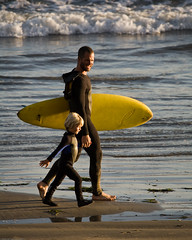
Father and son surf lesson in Morro Bay, CA - image by Michael

Using Facebook for Photo Sharing

While Facebook is a general-purpose social network, they have a popular feature for sharing photos. Facebook allows users to create any number of photo albums. Files are automatically resized for Facebook’s interface, and the user can provide captions although Facebook doesn’t support keywords, camera information, or other metadata that is part of a typical photographer’s workflow. In theory, Facebook offers privacy settings on a per-album level, allowing one to easily choose whether photos are public, only seen by friends, by friends of friends, or private.

Facebook is a people-centric system, with photos being one of many bits of content that are ultimately associated with an individual. Facebook’s “killer feature” for photo sharing is that they pioneered the concept of visually tagging users in a photo. Once you’ve uploaded a photo to Facebook, you can “tag” your friends in the photo, which will make the photo available from that friend’s profile page as well as having the photo shared (on both your Facebook Wall and your friend’s Facebook Wall) as being tagged. With seemingly everyone having a Facebook profile, the audience is there.

Facebook’s terms of service essentially give them a license to do anything they want with your content. I mentioned this last week when looking at recent Facebook issues. Facebook provides no options for a photographer to indicate licensing or usage terms.

Using Flickr for Photo Sharing

Flickr is more of a single-purpose social network than Facebook, but that single purpose is photo sharing, and it does it very well. Users can organizes photos into a variety of groups (sets, collections, and galleries), with the ability to restrict visibility to groups of Flickr contacts. Having been designed for photographers, Flickr supports a wide range of metadata. Keywords are the most obvious (Flickr calls them tags), but Flickr also provides (unless the individual user has disabled the feature) the ability to see the camera’s EXIF data including camera model, shutter speed, aperture, and other supporting information.

Beyond the rich metadata features, Flickr’s other big strength is in its communities. There are Flickr groups (consisting of photo libraries and discussion forums) for nearly any topic imaginable. Whether it’s a piece of equipment, a theme, a location, a color, or any other of thousands of classifications, there’s a Flickr group of fellow enthusiasts devoted to that topic. As photographers we often talk about specialization into a niche, and Flickr allows us to easily connect with others in that space. In the past year, Flickr added the ability to tag people in photos, but it’s a much less-used feature than Facebook’s offering.

Flickr’s terms of service are more restrictive, only granting permisson for the photos to be used on the Flickr website and within whichever license a photographer chooses. Flickr allows photographers to designate photos as “All Rights Reserved” or licensed under a few different Creative Commons Licenses.

What Are You Doing?

Last night I asked (both on Twitter and Facebook) how folks choose whether to share photos on Facebook vs. Flickr. Here’s a sampling of responses:

  • “I never put any photos on FB. I (as far as I know) own my photos on Flickr…so most of the Flickr Wins.” – @harrisja
  • “Facebook for my family. Flickr for everybody else…though that seems to no longer be the case with the privacy changes.” – @scottyiseri
  • “I almost never post photos on FB because they can take them and use them for whatever. Plus I hate FB more w each passing day” – @ephanypdx
  • “Flickr photos get a wider audience thanks to group etc.” – Steve Eshom
  • ” I use various services, from my phone, I post on both, as well as Tumblr. From my camera – mostly to Flickr – and I’ve linked my FB account. Anything I make public at Flickr is noted on my wall.” – Gary Walter

My Conclusions/Recommendations: Facebook for People; Flickr for Everything Else

Which to use? Why? Looking at it from the perspective of a photographer who wants to get the most exposure (to the right audience), my general recommendation is to use Facebook primarily for photos of your friends, family, and other small groups of contacts (where you can use the tagging features to spread your work to a very targeted group) and to use Flickr for more general photos, large public events, and fine art. Of course you can always cross-publish, but for the best use of each platform, I default to Flickr for most things with Facebook for the more personal connections.

How about you? How do you decide where to post?

Photo by mikebaird, used under Creative Commons licensing

The PalazzoIn a few weeks, hundreds (thousands?) of bloggers and social media professionals will gather in Las Vegas for Blog World Expo. There’s a great program lined up with all sorts of information just waiting to be shared. I’ll be there, participating in the main Blog World program along with the WordCamp: Las Vegas that’s being held on the expo floor.

There’s an informal Blog World photowalk being organized for Thursday night. Given that I love to photograph Las Vegas at Night, I’ll definitely be joining the group. If you’re a photographer at Blog World, I’d love to meet you. Leave a comment below or drop me an email and let’s get together and chat about photography and social media while we’re in Vegas.

These other posts might be of interest to you:

  1. I Almost Left a Blog Comment
  2. Should You Outsource Your Photography Blog?
  3. Kick Your Photography Business to the Next Level with Animoto

Due to some technical difficulties, this week’s podcast will get rolled into next week’s show. I’m excited to offer up this video however, produced by the folks at Photoshelter. In addition to their great photo hosting services, they produce a variety of resources to help photographers grow business. Here’s a great introduction to Search Engine Optimization (SEO) for Photographers:

Find out more about Photoshelter’s services if you’re looking for top-notch photo management including print and product orders, e-commerce, and electronic image delivery and licensing. Use the links in this article to receive up to $30 off if you sign up for a new Photoshelter account.

These other posts might be of interest to you:

  1. An Intro to Google Buzz for Photographers
  2. SEO Basics: Intro and Keywords
  3. Photoshelter Updates: Better Customization, Better Sitemaps, Better URLs